Azure Permissions: What Spotto Needs and Why
Spotto needs Reader on the subscriptions you want it to see. Everything else is optional. Each extra permission switches on more of Spotto, and you can add or remove any of them later without reconnecting.
This page covers the Spotto service principal, the identity Spotto uses after setup. The person running setup needs broader, temporary access: see Permissions To Run Setup.
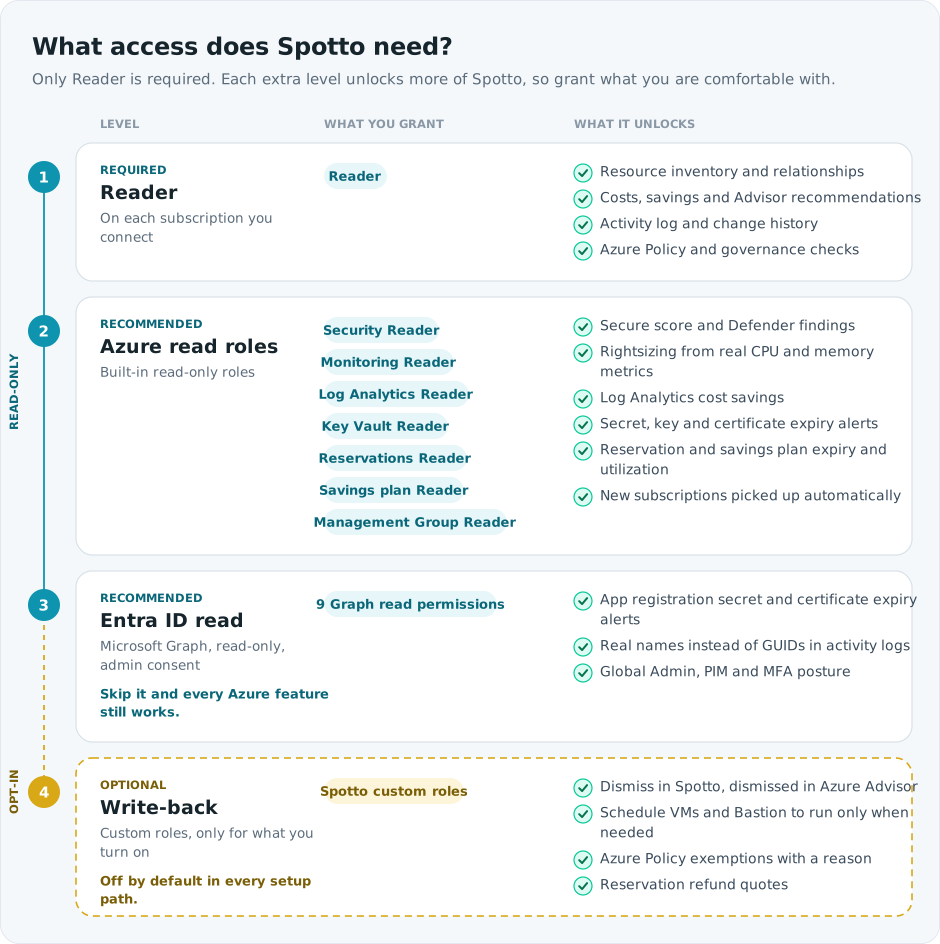
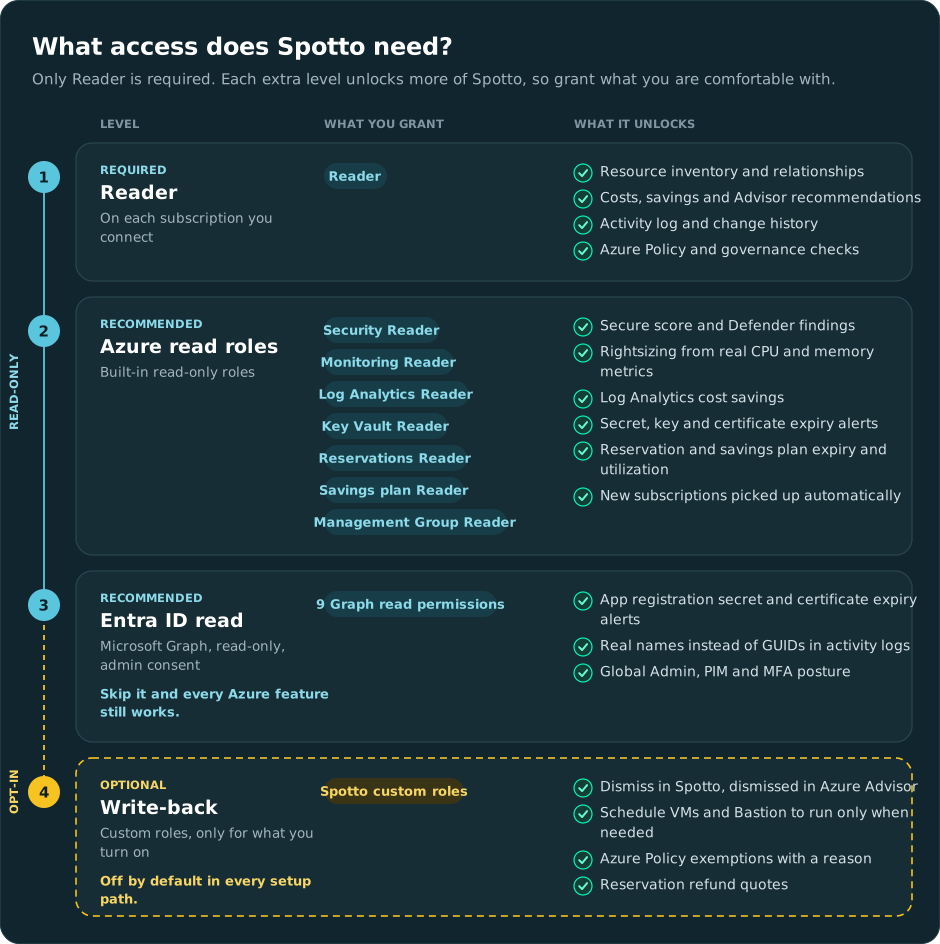
| Level | What you grant | On by default in automated setup? |
|---|---|---|
| 1. Required | Reader on each subscription | Always |
| 2. Recommended | Azure read roles: Security Reader, Monitoring Reader, Log Analytics Reader, Key Vault Reader, Reservations Reader, Savings plan Reader, Management Group Reader | Yes |
| 3. Recommended | Entra ID read: nine read-only Microsoft Graph application permissions | Yes |
| 4. Optional | Write-back: small custom roles, one per feature you turn on | No |
Every automated path (Click & Connect, the PowerShell script, the Terraform module) grants levels 1 to 3 by default. They differ only in billing exports and write-back; see What each setup path grants.
Access Matrix
Find the feature you care about, then check what it needs and what happens without it.
| Spotto feature | Needs | Without it |
|---|---|---|
| Resource inventory, relationship graphs, tags | Reader | Spotto can't connect the subscription |
| Recommendations from Azure Advisor and Spotto's own rules | Reader | Required |
| Cost Analysis and Cost Tree | Reader, plus billing exports for full history | Without exports, Spotto uses billing APIs: slower, and history can have gaps |
| Governance: Azure Policy and RBAC review | Reader | Required |
| Change Monitoring: what changed | Reader | Required |
| Change Monitoring: who made the change | Microsoft Graph (Application.Read.All) | Apps, pipelines and managed identities show as GUIDs instead of names |
| Security: secure score and Defender findings | Security Reader | Security page is incomplete |
| Rightsizing and oversized compute from real CPU and memory use | Monitoring Reader | Fewer recommendations, and savings estimates without metric evidence |
| Log Analytics cost savings, such as switching off verbose logging | Log Analytics Reader | Spotto sees the workspace bill, but not which logs drive it |
| Server uptime in reports: servers running longer than 45 days without a reboot | Log Analytics Reader, with servers reporting to a Log Analytics workspace | Server Uptime in reports has no data |
| Retirement Tracker: Key Vault secret, key and certificate expiry, with alerts | Key Vault Reader | Key Vault expiries are not tracked |
| Retirement Tracker: app registration and service principal secret expiry, with alerts | Microsoft Graph (Application.Read.All) | App credential expiries are not tracked |
| Commitments: reservations, utilization and expiry alerts | Reservations Reader | Your reservations are invisible, so no expiry warnings and coverage looks lower than it is |
| Commitments: savings plans, utilization and expiry alerts | Savings plan Reader | Your savings plans are invisible, with the same effect |
| New subscriptions picked up automatically, management group hierarchy | Reader and Management Group Reader at the root management group | Add new subscriptions to Spotto yourself; no hierarchy view |
| Identity posture: Global Admins, PIM, MFA and Conditional Access | Microsoft Graph (role, user, audit and policy permissions) | Identity findings are empty |
| Dismiss in Spotto, also dismissed in Azure Advisor | Write-back: Advisor custom role | Dismiss it in Azure Advisor yourself |
| Resource schedules for VMs and Azure Bastion | Write-back: resource scheduling custom role | Start and stop resources yourself |
| Azure Policy exemptions from Regulatory Compliance | Write-back: policy exemption custom role | Create the exemption in Azure yourself |
| Reservation refund quotes | Write-back: Reservations Contributor | No refund estimate on the Commitments page |
Can't Grant Everything?
That's fine, and common. Spotto works with whatever you grant, shows Permission required where data is missing, and picks up new access on the next sync. Here is what the usual trade-offs mean:
| Your situation | Still works | What you miss |
|---|---|---|
| Reader only | Inventory, costs, recommendations, activity log, governance | Security, metric-based rightsizing, Log Analytics savings, server uptime, Key Vault expiry, commitments, identity |
| No Entra ID access. Many customers treat the directory as sensitive. | Every Azure feature | App secret expiry alerts, names instead of GUIDs in activity logs, identity posture |
| No Reservations or Savings plan Reader. Often missed, because it is assigned at a special billing scope. | Everything else | Existing reservations and savings plans, their utilization and expiry alerts. The Commitments page is much less useful. |
| Selected subscriptions only, no root management group | Everything, for the selected subscriptions | New subscriptions don't appear until you add them |
| No billing exports | Costs through Azure billing APIs | Long history, and the most complete daily data. Recent days can be estimated. |
| Read-only, no write-back | All read features | Changes made from Spotto still have to be made in Azure by hand |
To add a permission later, assign it in Azure (or run Update Access on the cloud account in Spotto) and wait for the next sync. See Fix a missing permission.
What Spotto Reads, And What It Never Reads
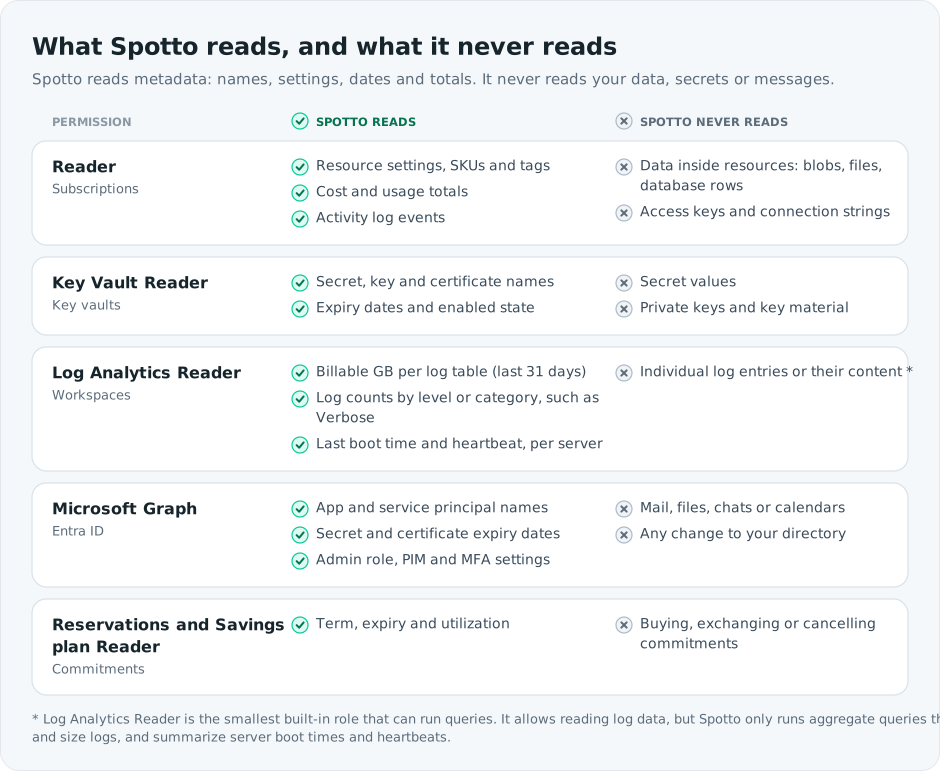
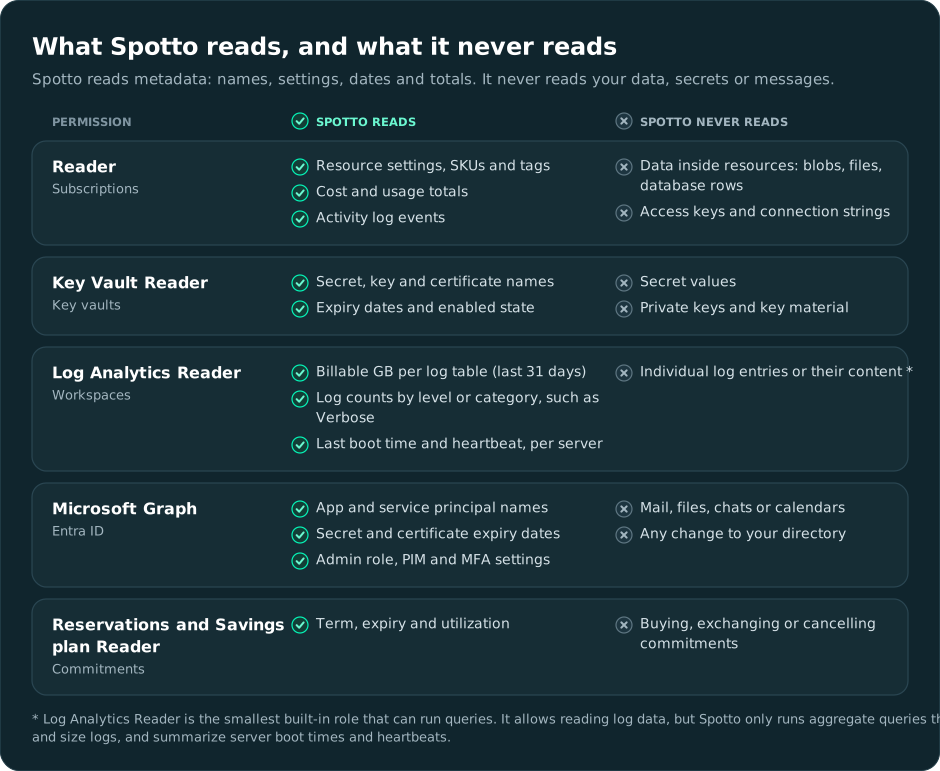
Every permission Spotto asks for reads metadata: names, settings, dates, totals. None of them let Spotto read the data inside your resources.
Entra ID (Microsoft Graph)
Directory access is the permission customers most often hold back. It is read-only, it never touches mail, files or chats, and it can't change your directory. Here is what each permission is for:
| Graph permission | What Spotto uses it for |
|---|---|
Application.Read.All | App registration and service principal secret and certificate expiry, and names for apps and managed identities in activity logs |
User.Read.All | Names for users in admin, MFA and principal findings |
GroupMember.Read.All | Working out who has privileged access through a group |
RoleManagement.Read.Directory | Directory roles such as Global Administrator |
RoleAssignmentSchedule.Read.Directory | Active privileged role assignments, including PIM activations |
RoleEligibilitySchedule.Read.Directory | PIM eligible roles |
AuditLog.Read.All | PIM activation history, MFA registration and admin sign-in activity |
Policy.Read.All | Security defaults, Conditional Access and authentication method policies |
LicenseAssignment.Read.All | Which Entra licences the tenant has, so Spotto only checks what you are licensed for |
Grant them all, some, or none. Click & Connect lets you untick individual permissions. Manual steps are in Grant Microsoft Graph permissions.
Key Vault Reader
Spotto lists the secrets, keys and certificates in each vault and reads their expiry dates, then warns you in the Retirement Tracker before something expires and breaks. Key Vault Reader can't read secret values or private keys.
It works for vaults that use Azure RBAC. Vaults that still use access policies also need a List access policy for the Spotto service principal.
Log Analytics Reader
Spotto uses this role to work out where your Log Analytics money goes and how long your servers have been running, not to read your logs. It runs a few aggregate queries per workspace:
- Billable GB ingested per table over the last 31 days.
- Counts of log records by level or category, such as Verbose, Information and Error, for App Service console logs, event logs and Azure diagnostics.
- For each server, its last boot time and its first and last heartbeat over the last 90 days, from the
VMComputer(VM insights) andHeartbeattables. This feeds the Server Uptime section of reports, which lists servers running longer than 45 days without a reboot. Servers that don't send these tables to a workspace can't be included.
An example: a workspace costs $10,000 a month, and 80% of what it ingests is verbose logging. Spotto can recommend switching verbose logging off and turning it on only while you troubleshoot, saving up to $8,000 a month. Without this role, Spotto sees the $10,000 bill but not what is inside it.
Log Analytics Reader is the smallest built-in role that can run queries, so Azure lets it read log data. Spotto only runs the aggregate queries above.
Reservations And Savings Plan Reader
These roles let the Commitments page show the reservations and savings plans you already own: how well they are used and when they expire, so you can renew before costs jump back to pay-as-you-go. They are read-only and can't buy, exchange or cancel anything.
They are assigned at tenant-wide billing scopes (/providers/Microsoft.Capacity and /providers/Microsoft.BillingBenefits), not on a subscription, which is why they are the ones most often missed. See Permissions To Run Setup for who can assign them.
Optional Write-Back
Spotto is read-only by default. Write-back lets actions you take in Spotto reach Azure. Each feature has its own custom role with only the actions it needs, and each is off until you turn it on.
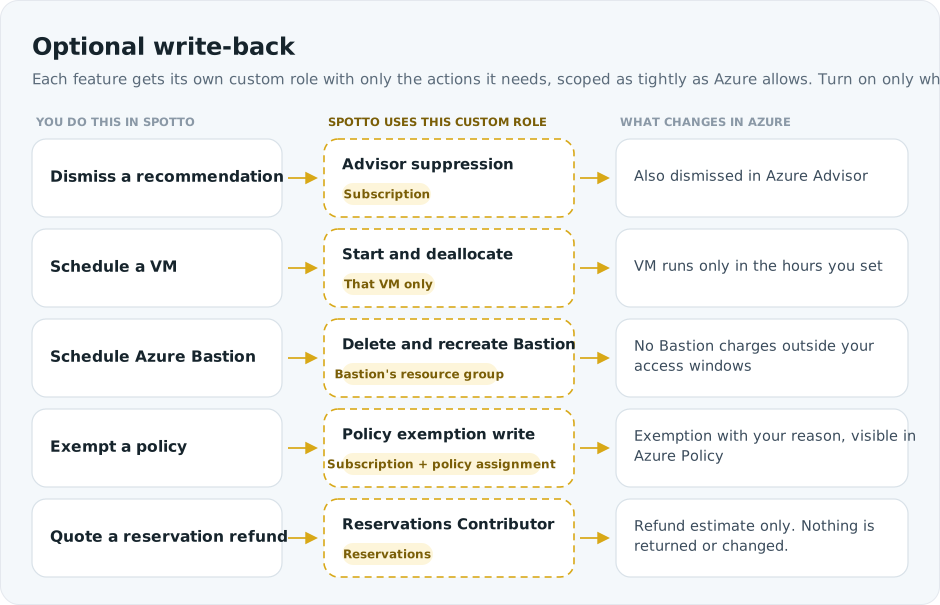
| Feature | Custom role actions | Scope |
|---|---|---|
| Dismissals sync to Azure Advisor | Write and delete Advisor suppressions | Subscription |
| VM schedules | Read, start and deallocate the VM | That VM |
| Azure Bastion schedules | Read, delete and recreate the Bastion host | The Bastion's resource group |
| Azure Policy exemptions | Write policy exemptions, exempt from policy assignments | Subscription, plus the policy assignment's scope |
| Reservation refund quotes | Reservations Contributor (built-in role) | /providers/Microsoft.Capacity |
How they get set up: Click & Connect, the PowerShell script (Custom mode) and Terraform can create the Advisor, policy exemption and Reservations Contributor roles. VM and Bastion schedule roles are granted when you activate a schedule: Spotto shows the exact actions and asks you to approve them. The full action lists are in Advisor write permissions and Policy exemptions.
Before a schedule runs, Spotto checks for resource locks, deny assignments and policies that would block it. Bastion schedules remove the Bastion host outside your access windows and recreate it when a window opens, because Azure has no way to pause a Bastion host.
To keep read and write access apart, you can give write-back its own credential. See Configure write permissions. For the remediation actions you can run on recommendations, see the Remediation Action Catalog.
What Each Setup Path Grants
| Permission | Click & Connect | PowerShell (Recommended mode) | Terraform |
|---|---|---|---|
| Reader on selected subscriptions | Yes | Yes | Yes |
| Reader above your subscriptions, so new ones appear automatically | Yes, at the root management group | Yes, at tenant root | Only in tenant-wide mode (assign_reader_to_all_subscriptions) or for listed management_group_ids |
| Azure read roles (level 2) | Yes | Yes | Yes, each has a toggle |
| Microsoft Graph read (level 3) | Yes, untick any you don't want | Yes | Yes (enable_graph_permission) |
| Billing exports | Off. Opt in. | Asks, defaults to yes | Off (enable_billing_exports) |
| Write-back (level 4) | Off. Opt in. | Off. Custom mode only. | Off (grant_optional_write_permissions) |
| Resource schedules | When you activate a schedule | Not available | Not available |
The Manual Azure Portal Setup walks through the same permissions one at a time.
Fix A Missing Permission
When a sync step can't read something, Cloud Accounts sync diagnostics show Permission required with the missing role and scope.
- Open the warning in Spotto and note the permission, scope, tenant and subscription.
- Assign the permission in Azure, or on a Click & Connect account select Update Access (or Repair Setup) and let Spotto do it.
- Wait 5 to 10 minutes for Azure role assignments or Graph consent to take effect.
- Run the tenant or subscription sync again.
| Warning mentions | Assign | At |
|---|---|---|
| Reader | Reader | Subscription, or a management group above it |
| Security Reader | Security Reader | Subscription |
| Monitoring Reader | Monitoring Reader | Subscription or management group |
| Log Analytics Reader | Log Analytics Reader | Subscription, workspace or management group |
| Key Vault Reader | Key Vault Reader | Management group, subscription or vault |
| Management Group Reader | Management Group Reader | Root management group |
| Reservations Reader | Reservations Reader | /providers/Microsoft.Capacity |
| Savings plan Reader | Savings plan Reader | /providers/Microsoft.BillingBenefits |
| Microsoft Graph | The named Graph application permission, with admin consent | Tenant |
| Cost Management Reader | Cost Management Reader | The billing or management group scope that holds your export |
| Billing export storage | Storage Blob Data Reader | The export storage container |
Every warning, with its exact text, is listed in Azure Cloud Account Permission Warnings. Step-by-step role assignment is in Manual Azure Portal Setup.
GDAP Accounts
Accounts connected through GDAP use delegated partner access instead of a Spotto service principal, and they need three separate grants: delegated Entra roles, Azure subscription access and CSP billing visibility. Getting one right does nothing for the others. See How Azure access works under GDAP. Billing exports aren't supported under GDAP.
CSP Billing Prerequisites
Subscriptions bought through a CSP partner on Microsoft Azure Plan need the partner to switch on cost visibility. Without it, the connection validates but cost features stay empty.
- The subscription is on Microsoft Azure Plan or Microsoft Customer Agreement, not the older classic CSP offer.
- In the partner tenant, an Admin agent who is also a Billing admin opens Cost Management + Billing, selects the billing account, then Customers, the customer, and Policies.
- Set Azure Usage to Yes.
- Spotto (or, for GDAP, the partner security group) has Reader on the subscriptions.
No Spotto setup path can change this partner-side policy. Only the CSP partner can.